Backgrounds
Reimagined.
Experience the next evolution of AI-driven synthesis. Precise edge detection meets cinematic background replacement in a single click.
Drag and drop your canvas
Supports PNG, JPG, and WEBP (Up to 25MB)
or paste with Ctrl+V
Try a sample
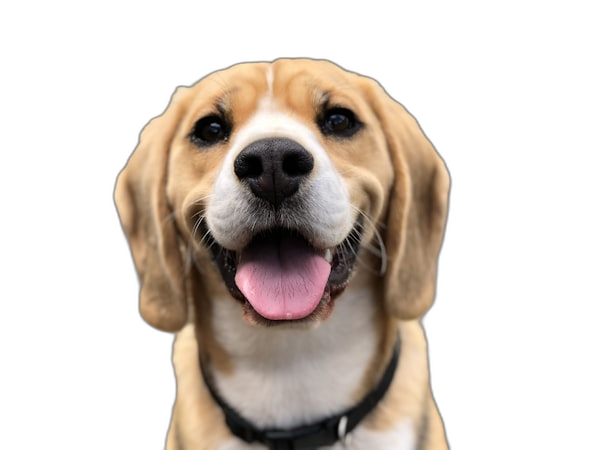
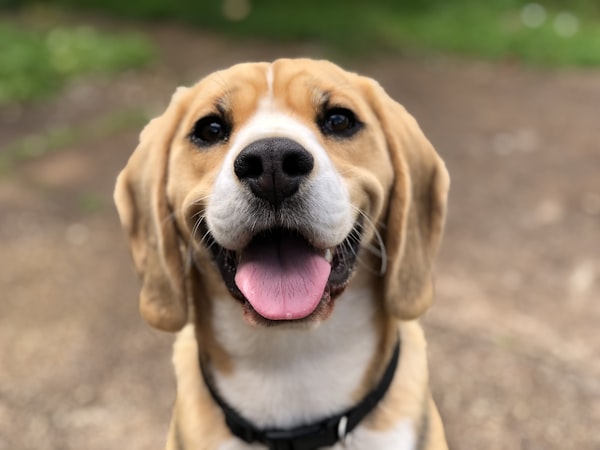
Frictionless Workflow
No accounts. No installations. Three steps to flawless background synthesis.
Initialize Workspace
Drop any high-resolution image into the synthesis zone. Compatible with JPG, PNG, and next-gen WEBP formats.
Neural Processing
The open-source ormbg model (Apache-2.0) runs on your own device — on the GPU via WebGPU where available, on WebAssembly everywhere else.
Download or Keep Editing
Save a transparent PNG, or first adjust the background, gradients, and shadows in the editor.
Who Is It For?
From photographers to developers — BGRemover is designed for every professional's workflow.
Photographers
Quickly remove backgrounds from portraits and product shots, then deliver to clients.
E-Commerce
Batch-process product images with white or transparent backgrounds at scale.
Marketers
Prepare clean images for ad creatives in seconds, not hours.
Designers
Instantly get perfect cutouts for compositing and collages.
Developers
Easily integrate automated background removal into your app or service.
Individuals
Make your profile pictures, social posts, and gift images look amazing.
The Architecture of Perfection
Professional-grade segmentation made accessible. No subscriptions. No watermarks. Just pure, unadulterated power.
Neural Velocity
Execute state-of-the-art ONNX models directly in your browser. Complete segmentation in under 3 seconds.
Precision Tools
Refine edges with magical foreground and background brushes. You are always in control of the final output.
Infinite Canvas
Export as transparent PNGs, or drop in custom chromatic gradients and scenic backgrounds instantly.
Full-Resolution Export
Export as PNG with lossless compression, at the original resolution of your image.
Absolute Privacy
Your images never touch a server. All neural processing occurs securely on your local machine.
Model Cached After First Use
The model is downloaded once and served from your browser cache on later visits, so repeat runs start immediately.
Adaptive AI Precision
Tune the background removal sensitivity with a single slider. Protect delicate foreground details — text, fur, hair — with surgical accuracy.
See How We Compare to the Competition
Same quality, lower cost. BGRemover processes images directly in your browser — no cloud servers, a fundamentally different cost structure.
| Service | Lowest Price/Image | 미리보기 무료 | Free Low-res | Browser Processing |
|---|---|---|---|---|
BGRemoverCheapest | ₩19~49 | |||
C*****Magic | ₩38~95 | |||
r*****.bg | ₩270+ | |||
r*****.ai | ₩135+ |
* Prices from official websites as of 2024. Exchange rate: 1 USD = 1,350 KRW.
Loved by Users Worldwide
Thousands of designers, marketers, and developers use BGRemover every day.
"I process dozens of product images daily. This tool cut my workflow time by over 80%. The quality is beyond what I expected."

Alex Kim
E-Commerce Owner
"The edge precision is incredible. Even fine hair strands come out clean. Much faster than Photoshop."

Sophie Laurent
Photographer
"I love that images never leave my browser. Privacy matters when working with client assets."

Marcus Johnson
UI Designer
"So useful for social content. The ability to immediately apply gradient backgrounds after removal completely changed my workflow."

Yuki Tanaka
Content Creator
Frequently Asked Questions
Everything about how BGRemover processes your images.
Are my images uploaded to a server?
No. Background removal runs entirely inside your browser, so your image file never leaves your device. Only the AI model itself is downloaded on first use, and it is cached afterwards.
Is BGRemover really free?
Low-resolution downloads are unlimited and free forever, with no account required. Full-resolution downloads need a paid plan, starting at $3.99 per month.
Which image formats are supported?
You can upload JPG, PNG, and WebP images. Results are exported as PNG files with a transparent background.
Which AI model does BGRemover use?
It runs the ormbg ONNX model, an IS-Net/DIS style segmentation network released under Apache-2.0. It executes on your GPU through WebGPU when available, and falls back to WebAssembly on the CPU otherwise.
Can I use the results commercially?
Yes. The model is Apache-2.0 licensed and outputs carry no watermark, so you can use the images for product listings, marketing, and other commercial work.
Can I process multiple images at once?
Yes. The bulk page removes backgrounds from many images in a single run, which is useful for product catalogues on Shopify, Amazon, or Etsy.